

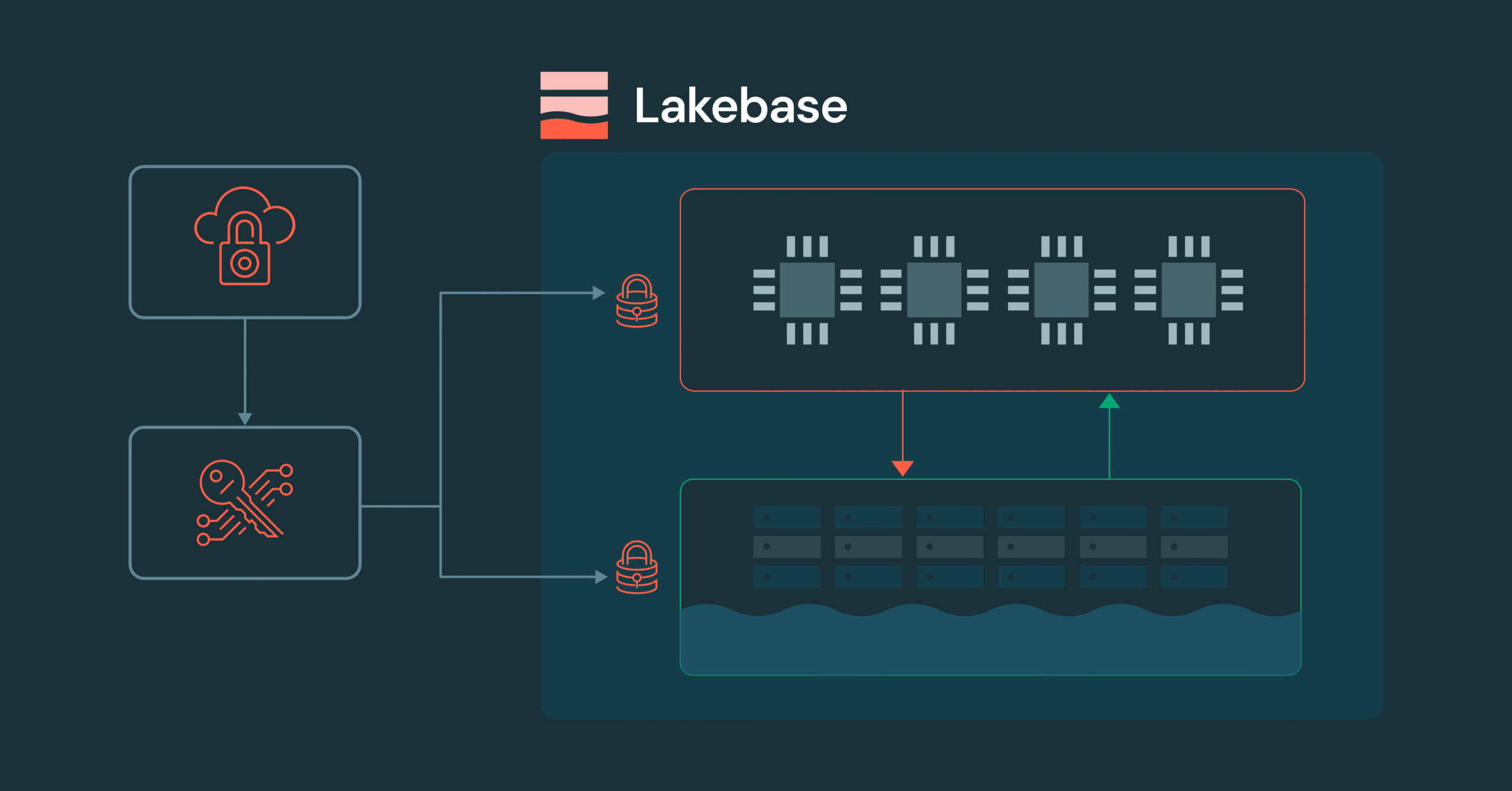
Encryption at rest is a cloud baseline, but for enterprises operating in highly regulated environments, organizations must control the root of trust. Lakebase Customer Managed Keys (CMK) delivers this control by allowing you to use your own encryption keys from your Key Management Service (KMS) e.g. AWS KMS, Azure Key Vault, or Google Cloud KMS – to protect and manage data across the entire Lakebase lifecycle.
Lakebase Customer-Managed Keys (CMK) offers comprehensive management and control across the entire architecture, unlike conventional managed databases. While traditional databases typically only encrypt storage, Lakebase CMK manages both persistent storage and ephemeral compute.
The Architecture of Lakebase Encryption
Lakebase architecture separates storage and compute into independent layers – a design that enables elastic scaling and serverless operations. The storage layer (Pageserver and Safekeeper) maintains long-lived, persistent data in object storage and local caches, while the compute layer runs independent Postgres instances that scale up, down, or to zero based on demand.
This separation creates a unique challenge for encryption: both layers (as well as all of their caches across the architecture) must be encrypted and remain under customer control. Lakebase CMK addresses this through a hierarchical Envelope Encryption model.
The Key Hierarchy
Envelope Encryption is a security model where data is encrypted with unique data keys (DEKs), and those keys are themselves encrypted by higher-level keys. This hierarchy ensures that your CMK never leaves your cloud KMS – Databricks only receives wrapped (encrypted) versions of the keys needed to decrypt data. The model also enables high-performance encryption at scale, since the KMS is only contacted to unwrap keys, not to encrypt every data block. This architecture is what enables seamless key rotation and timely revocation if ever needed.
The hierarchy consists of three levels:
- Customer Managed Key (CMK): The Root of Trust residing in your cloud KMS (AWS KMS, Azure Key Vault, or Google Cloud KMS). Databricks never sees the plaintext of this key.
- Key Encryption Key (KEK): A transient key used by the Databricks Key Manager Service to wrap data keys.
- Data Encryption Keys (DEKs): Unique keys generated for every data segment. These are stored alongside the data in an encrypted (wrapped) state.
When data needs to be accessed, Lakebase components unwrap the necessary DEK using keys obtained from your KMS. In the event of a revocation, the unwrapping will then fail, rendering the data cryptographically inaccessible. As part of this process, all ephemeral compute instances are terminated to remove access to cached data.
CMK in Practice: Storage and Compute
The practical implementation differs between storage and compute:
1. Persistence Layer (Storage)
All data segments managed by Lakebase, including WAL segments (transaction logs stored by Safekeeper) and data files, are encrypted with keys protected by your CMK. This provides defense-in-depth: data at rest is protected by encryption keys under your control, not Databricks.
2. Ephemeral Layer (Compute)
The Postgres compute VM holds ephemeral data used by the operating system and PostgresSQL – for example, performance caches, WAL artifacts, temp files etc, So it’s critical that all of this data is also managed under a CMK. CMK protects this ephemeral compute data with:
- Per Boot Keys: Every time a Lakebase compute instance starts, it generates a unique ephemeral key.
- Automatic Shredding: On CMK revocation, Lakebase Manager terminates the instance, destroying ephemeral in-memory keys and rendering local disk data inaccessible.
Implementing CMK in the Lakebase Workflow
Implementation follows the standard Databricks Account to Workspace delegation model. This separation of duties ensures that Security Admins can manage keys without needing access to the data itself. Once a key is configured at the workspace level, all Lakebase projects use the CMK as part of the encryption workflow.
Step 1: Key Configuration
An Account Admin creates a Key Configuration in the Databricks Account Console. This object contains the key identifier (ARN for AWS KMS, Key Vault URL for Azure, or Key ID for Google Cloud KMS) and the IAM role or service principal that Lakebase will assume to perform Wrap and Unwrap operations.
Step 2: Workspace Binding
The configuration is then mapped to a specific Workspace. For Lakebase, this means:
- New Projects: All new Lakebase projects automatically inherit the workspace’s CMK.
- Isolation: Different workspaces can use different CMKs to satisfy multi tenant or multi departmental security requirements.
Step 3: Lifecycle Management and Rotation
Lakebase supports Seamless Key Rotation. When you rotate your CMK in your cloud provider’s console:
- The envelope encryption hierarchy enables seamless rotation – your CMK can be rotated in your cloud KMS without re-encrypting data or changing DEKs.
- There is zero downtime or manual re-encryption required.
Security Auditability
Because the CMK resides in your cloud account, cryptographic operations against your key are logged in your provider’s audit service (AWS CloudTrail, Azure Monitor, or Google Cloud Audit Logs).
Get Started with Enhanced Data Sovereignty
If your organization requires the highest level of cryptographic control over your Postgres workloads, Lakebase CMK is now available for Enterprise tier customers.
Ready to secure your data? Contact your Databricks account team to enable Customer Managed Keys for your workspace, or visit our technical documentation to review the prerequisite IAM policies and KMS configurations.
Not yet a Databricks customer? Get started with a trial.
