

Microsoft announced a major evolution for Copilot in Outlook, shifting the tool from a passive assistant to an autonomous agent. Instead of simply drafting emails or summarizing threads on command, the AI now actively manages ongoing daily tasks.
This agentic update enables the system to handle routine triage, resolve rescheduling conflicts, and prioritize communications in the background.
Users can offload the cognitive burden of inbox maintenance while maintaining full visibility and control over the AI’s actions.
Autonomous Inbox Management
Managing a corporate inbox requires continuous prioritization, sorting, and timely follow-ups. Copilot now assumes this steady workload by automatically surfacing urgent items and organizing clutter before the user even opens the application.
Autonomous Inbox Management (Source: Microsoft)
The system executes complex, multi-step workflows based on simple user instructions. It provides transparent updates along the way, allowing professionals to review, adjust, or intervene whenever necessary.
- Identify unresolved email threads after 24 hours and automatically draft polite follow-ups.
- Pull project updates from the past week to draft confidential briefing emails for management.
- Create dynamic inbox rules that assign high-priority categories to direct messages from leadership.
- Summarize missed communications during a vacation, including safe archives and urgent tasks.
Proactive Calendar Delegation
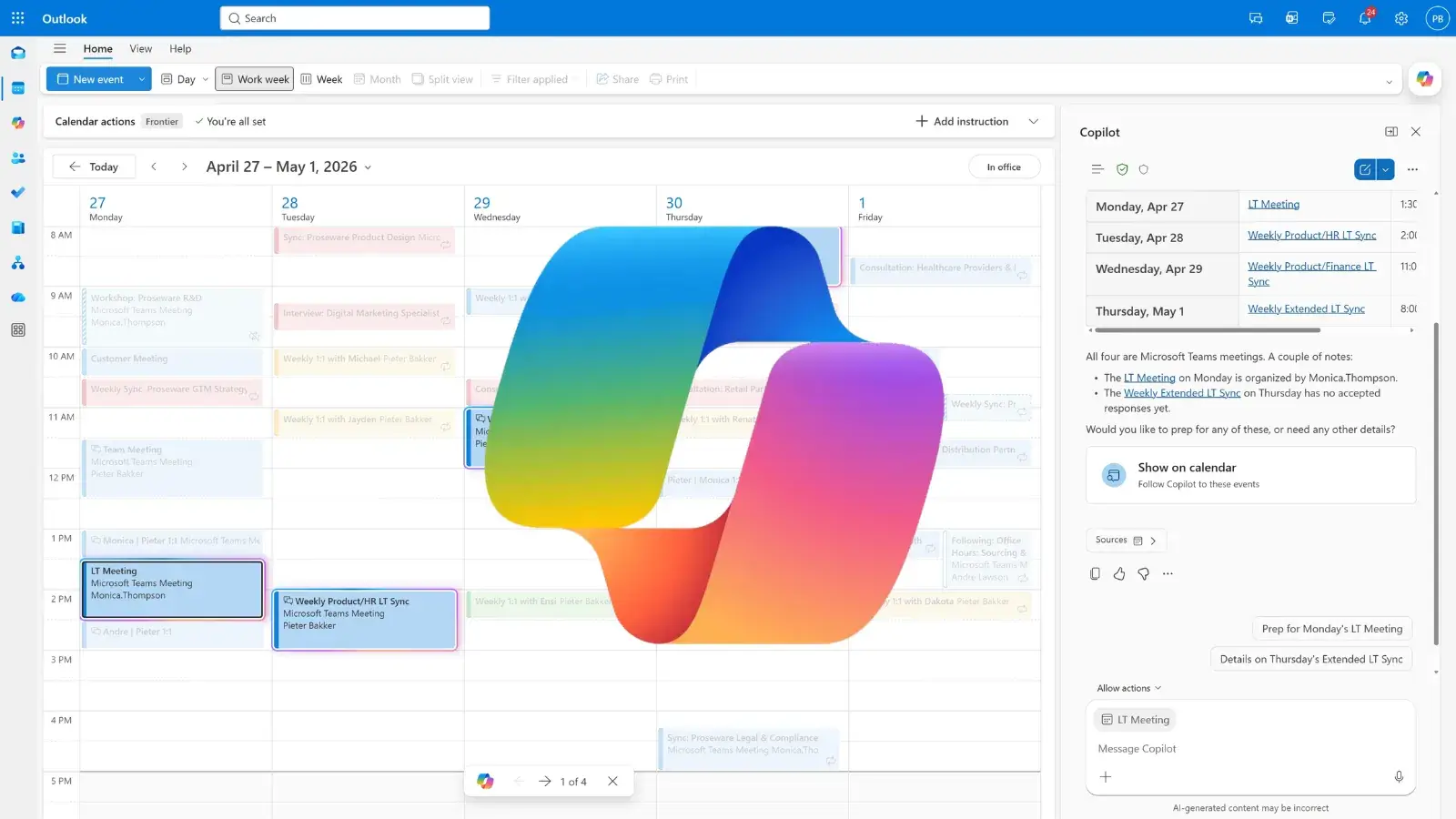
Scheduling initial meetings is simple, but resolving conflicts and reprioritizing time requires significant effort. The newly upgraded Copilot continuously monitors the user’s schedule to keep daily operations on track.
Proactively monitor and manage your schedule (Source: Microsoft)
It acts on custom preferences to automatically negotiate meeting times, rebook conference rooms, and block out dedicated focus periods. The AI can also generate meeting agendas tailored to specific goals, audiences, and desired tones.
- Schedule recurring meetings and automatically resolve unexpected double-booking conflicts.
- Apply rules to follow large meetings outside standard working hours rather than attend them.
- Shift entire blocks of internal meetings to designated days to free up time for deep work.
- Analyze upcoming schedules to recommend which invites to decline, delegate, or handle asynchronously.
- Gather relevant context and identify potential risks to help users prepare for upcoming client calls.
These autonomous capabilities officially launched through the Microsoft 365 Frontier program on April 27, 2026.
The inbox management features are rolling out across all Outlook endpoints. Meanwhile, the advanced calendar delegation tools are currently available only in Outlook for Windows and the web client.
As AI agents gain deeper access to enterprise communications, IT and security teams will need to monitor how these automated actions interact with existing data governance policies.
Follow us on Google News, LinkedIn, and X to Get Instant Updates and Set GBH as a Preferred Source in Google.
