

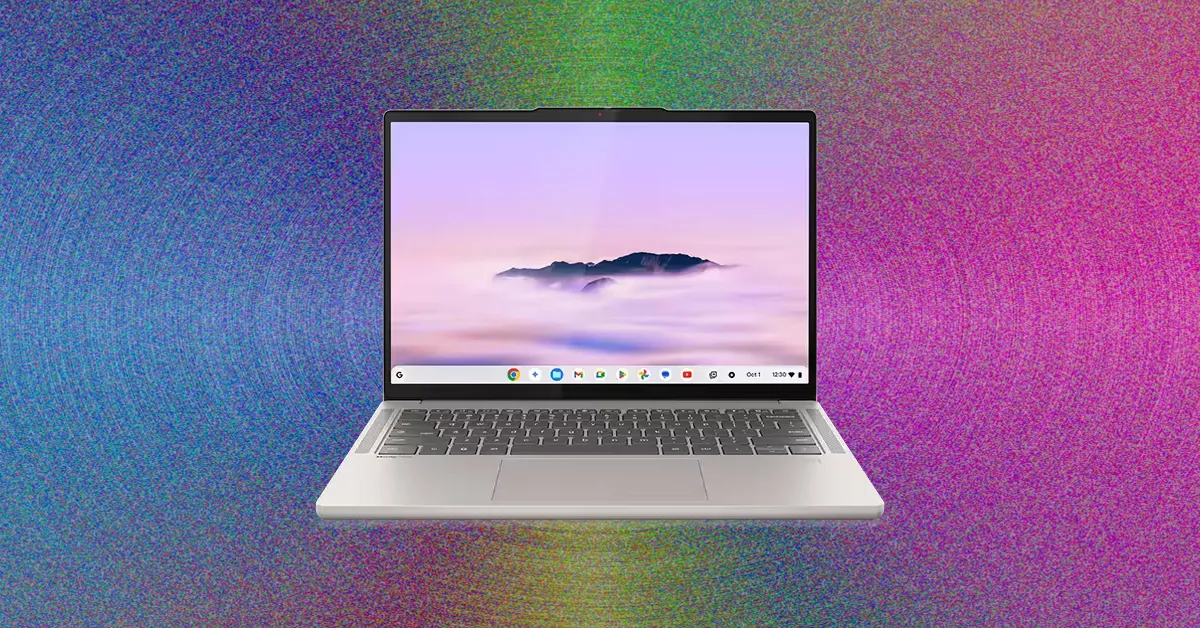
Is there a good case to be made for a Chromebook in 2026? In my mind, there are two primary reasons. The first is if you need a laptop under $500 that isn’t awful. If that’s your budget for a new laptop, whether for yourself or for a family member, you’re better off buying a Chromebook than an ancient Windows laptops or MacBook.
Things get fuzzier if you can afford to stretch a few hundred more dollars. All of a sudden, you have to compare against heavy hitters in the world of budget laptops like the MacBook Neo or Dell 14 Plus. Not only do these laptops tend to have better specs, they also have a more open software platform that far less limiting than Chrome OS. But if you’re willing to be honest about your needs, I think you’ll find that even a more expensive Chromebook could be the best option for you—and I know just the one.
Table of Contents
Some Serious Chrome
There’s no Chromebook quite like the Lenovo Chromebook Plus 14. Not since the days of the original Pixelbook has a piece of Chrome OS hardware come along that so wanted you to believe in the platform. The laptop chassis feels immaculately designed, and both the keyboard and touchpad are a joy to use. Also, for what is often sold for $649, you’re getting a laptop with 16 GB of RAM and 256 GB of storage, which I would gladly take over the $699 MacBook Neo. That laptop has twice as much storage but is stuck with only 8 GB of RAM.
Battery life is also really strong, which is an area that Chromebooks used to lead in. But with all the advances in efficiency on competitive laptops lately, Chromebooks had fallen behind. Thanks to its ARM-based MediaTek processor, the Lenovo Chromebook 14 Plus closes the gap. For those who are skeptical just by seeing the name MediaTek, you should know that performance is really solid here, too. This is, by far, the most impressive chip you can get on a Chromebook. But you’ll be paying extra for all that. The retail price is $749, and even though it frequently is discounted to $649, that’s still considerably more than most people are willing to pay for a Chromebook.
Acer
Chromebook Plus Spin 514
The Acer Chromebook Plus Spin 514 is a close second to the Lenovo Chromebook Plus 14. It’s right around the same thickness and size, and also comes with the identical MediaTek Kompanio Ultra 910 processor. It has a great keyboard and touchpad, and the screen is vibrant and bright. That’s table stakes. The Acer Chromebook Plus Spin 14 differs from its rival in two important ways. The review unit I tested originally had a higher resolution, which I thought really made the laptop feel premium. I even preferred it over the OLED screen of the Lenovo model. However, I can’t find the model available to purchase online right now though, leaving just this more basic version of the laptop—this one that comes in at a cheaper price. It’s not a bad tradeoff, though, as you still get a faster, well-made, and long-lasting Chromebook.
The Acer Chromebook Plus Spin 514 also swerves by being a 2-in-1 laptop, which just means it comes with a 360-degree hinge and a touchscreen. You can flip it entirely around into tent mode or even pretend to use it as an oversized tablet if you really need to. Personally, I don’t find 2-in-1 functionality all that useful and I don’t like the stiffer hinges they have to use. But I’ll always take a touchscreen over not. Beyond that, the Acer Chromebook Plus Spin 514 really pulls off its all-white aesthetic (though I can only find the silver model for sale right now). It’s a gorgeous little laptop. The Acer Chromebook Plus Spin 514 also comes with an extra USB-A port over the Lenovo Chromebook Plus 14.
Cheap Chromebooks That Are Worth It
As popular as they are, cheap Chromebooks suffer from a lot of the same problems that budget Windows laptops do. The quality of the display and touchpad tend to suffer, as it’s an easy place to compromise without indicating it on a spec sheet. No Chromebook I’ve tested that lands under $500 avoids both of these pitfalls—after all, these are very cheap computers.
